Timothy Pruitt | Timmy Hunter-Russell · September 26, 2026 · Full Sail MSCS Capstone
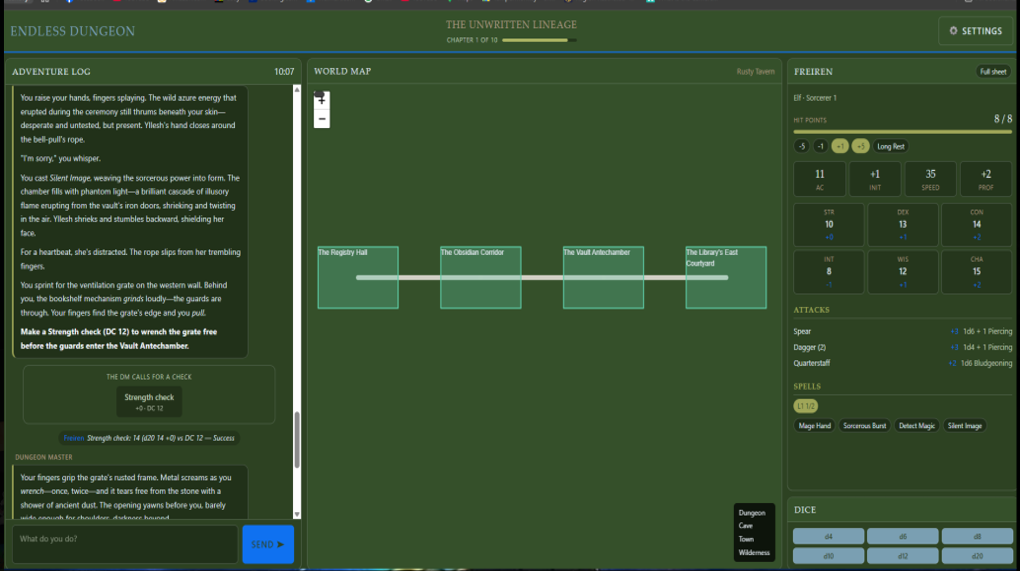
From the last post, we have done SEVERAL things from UI changes, engine upgrades, hosting management, and more. We have also been working on doing some performance testing along with some user testing. Yes, your read that right, we have opened the site up to start user testing and data gathering!
The Game
To start with, we have developed our AI to now generate narration for the player’s campaign. It will ensure that it keeps consistent through the story, will call you by name, and will allow you to do checks and even combat! Long side that, the character you create is the KEY to the story generation. The AI is told to use all aspects from your chosen character to generate this story. Currently, we have the difficulty set to a static number until we can get our ML model up and going . . . Which is why we need a lot of play testers so we can get this data to train the ML.
Performance Testing: Why Memory
Endless Dungeon is a Node.js 24 and Express server backed by PostgreSQL, with a vanilla JavaScript front end. The campaign screen has three parts: a chat stream where you and the AI Dungeon Master trade turns, a Leaflet map that draws the dungeon as you explore it, and your character sheet.
I ruled out the other two options first:
- CUP most of the time a player spends waiting is the round trip to the Claude API. I can’t profile my way out of network latency.
- GPU there’s no WebGL. The map is SVG and HTML, so the GPU only does ordinary page compositing.
Memory is different. A D&D session is long: someone might keep the campaign page open for an hour or more, adding a turn every minute. Anything that grows with every turn and never gets released is a slow-motion bug, and that’s exactly what memory profiling catches.
The Toolkit
Since this is a web app, the “profiler for my engine” is really two profilers:
- Chrome DevTools for the browser. I used the Memory panel (heap snapshots and the “Detached” filter), the Performance monitor (live heap size, DOM node count and listener count), and the Performance panel.
- The Node.js inspector for the server. Starting the server with `node –inspect –expose-gc server.js` lets DevTools, or a script, attach to it, force garbage collection, and save heap snapshots.
I paired with Claude Code to script the benchmarks. That let me repeat each test exactly: 500 turns, sampled every 50, with identical input every time. It also meant I never spent API credits, because the tests called the page’s own rendering functions (`EDCampaign.addChat`, `EDCampaign.addDm` and `EDMap.render`) with synthetic turns.
I had three suspects.
Suspect #1: the map (not guilty)
Every time the party moves, `updateMap()` removes the whole Leaflet layer and rebuilds it. That pattern can leak if anything keeps a reference to the old SVG shapes.
To check, I used a trick I hadn’t tried before. As the map re-rendered 500 times, I kept a `WeakRef` to every element being removed. A `WeakRef` doesn’t keep its target alive, so once garbage collection has run, a `WeakRef` that comes back empty proves that element was actually freed.
- 17,969 removed map elements tracked
- 0 still alive after garbage collection
- 0.2 ms median render tim
The map is clean.
Suspect #2: the server (not guilty)
I attached to the Node process through the inspector and sent it two rounds of 2,000 authenticated API requests, 20 at a time. I forced garbage collection before every measurement, so the numbers show memory that’s actually retained rather than garbage waiting to be collected.
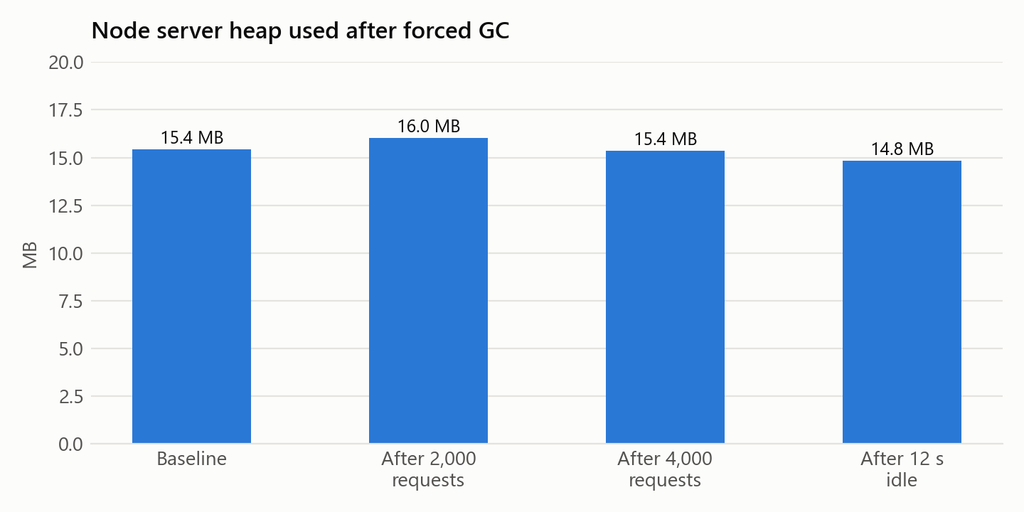
The heap never moved more than about 1 MB from baseline, and it finished *lower* than it started. The number of open handles rose from 5 to 19 under load, then fell back to 5 once idle: those were Postgres pool connections opening and closing on schedule. There were zero failed requests out of 4,000.
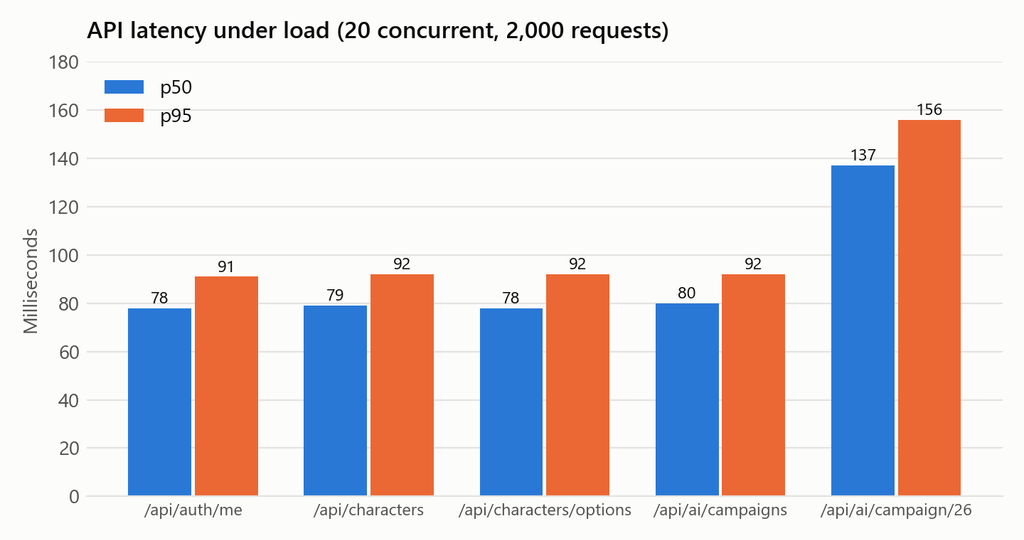
Latency sat around 78 ms, but most of that is the trip from my desk to the database in AWS us-east-1, not my code. The campaign route is slower because it runs more queries and builds the map data.
Suspect #3: the chat log (guilty)
Every turn calls `addChat()` for the player and `addDm()` for the Dungeon Master. Each call adds a bubble to the chat log, and nothing ever removes one. One turn adds about 16 DOM elements: the wrapper, the name label, the bubble, and whatever paragraphs and lists the DM’s markdown turns into.
Here’s what happened across 500 turns:
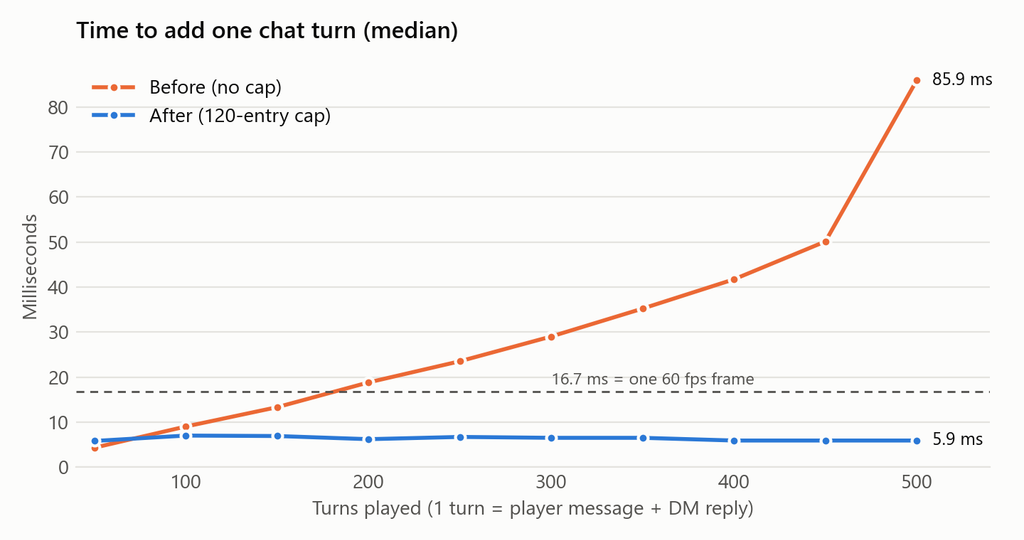
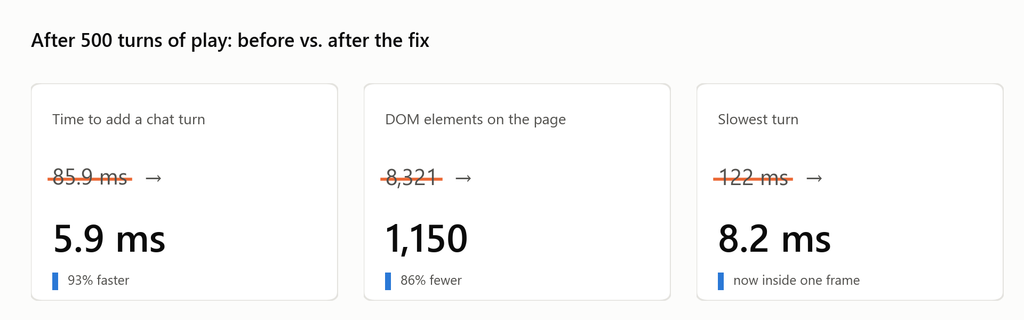
The orange line is the problem. Adding one turn went from 4 ms to **85.9 ms**. At 60 frames per second the browser has 16.7 ms per frame, and the log crossed that line at around turn 180. After that, every new message causes a visible stutter.
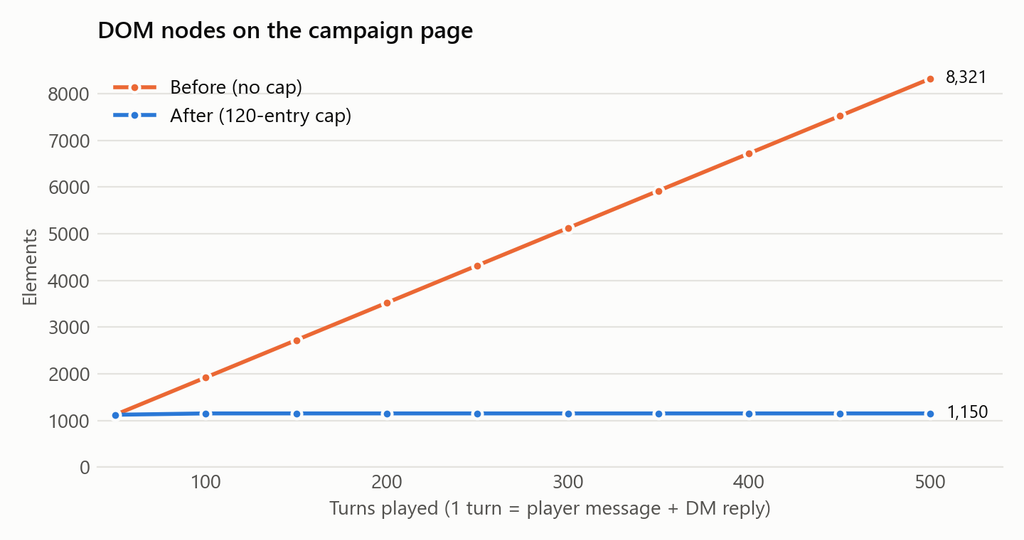
The part that surprised me!!!! The JavaScript heap barely moved during all of this, from 2.51 MB to 2.68 MB. If I had only watched the heap graph, I’d have called the chat log healthy. The cost wasn’t in JavaScript memory; it was in the browser’s own DOM and layout work, which grows with every element on the page. DOM node count was the measurement that exposed it.
The Fix
The server was already saving the whole conversation, so the page doesn’t need to keep 500 turns in memory. We capped the log in follow(), the function evenry new message already goes through:
const MAX_LOG_ENTRIES = 120;

/** Scroll to the newest turn, unless the player has scrolled back to read. */
function follow(log, wasAtBottom) {
  if (!wasAtBottom) return;
  // Only trim while pinned to the bottom -- dropping entries above a player
  // who scrolled back would yank the text they are reading out from under them.
  while (log.children.length > MAX_LOG_ENTRIES) log.firstElementChild.remove();
  log.scrollTop = log.scrollHeight;
}
The wasAtBottom check matters. If a player has scrolled up to reread something the DM said earlier, removing old messages would pull that text out from under them. So the log only trims while you’re at the bottom. I tested that case: scrolled up, added 10 turns, and the log grew to 140 with the first message untouched. As soon as I went back to the bottom, the next turn trimmed it to 120.
October 31st – September 6th
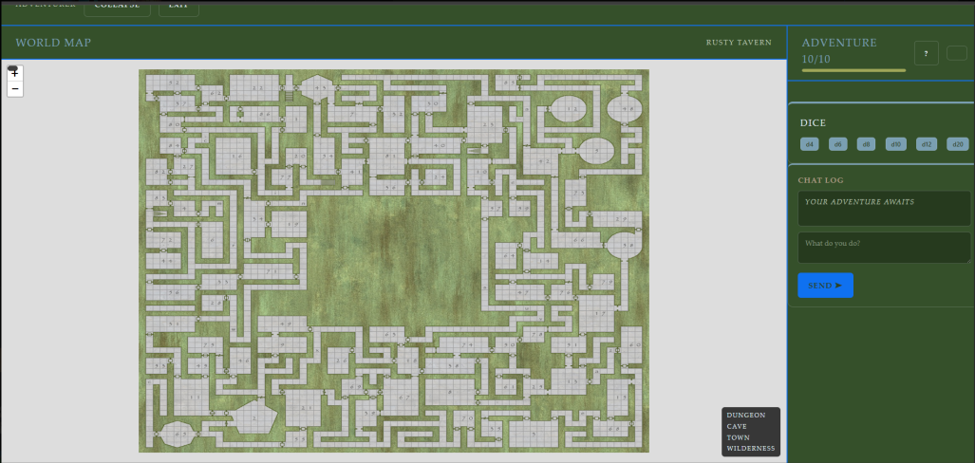
First Initial UI startup: setting up separate files for the campaign UI page, which is a big feature. When setting up the campaign, there were some connection and UI issues because they were first set up manually. Changes were made to have the page adapt to the change in size of the screen itself; whether it was a phone, desktop, laptop, or minimized or blown up, you were able to still understand what was on the screen. On the Right side were the Dice, DM chatbot, and the players’ health chart, along with a question mark that provided some instructions if need be. In the center was a static mapping layout with 4 different layers/ story’s; this provided a foundation for the mapping if needed, to fall back on. At the very top was a button if you needed to go back to the main menu.
September 7th – September 13th
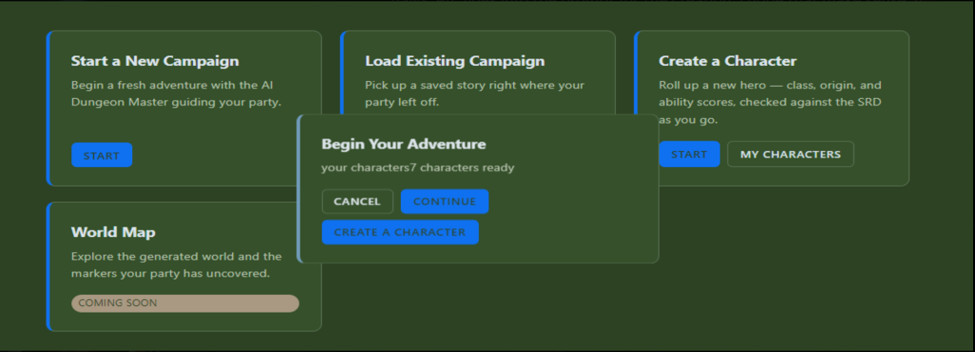
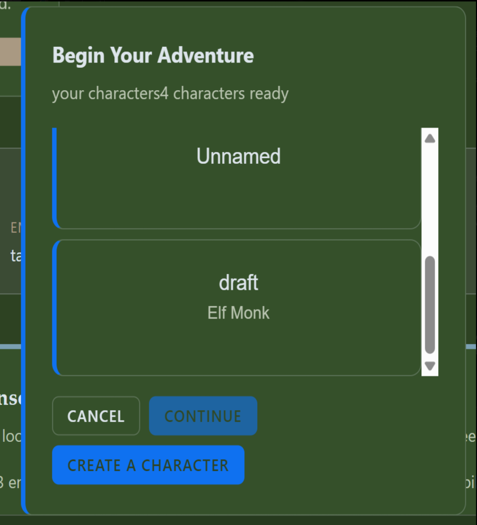
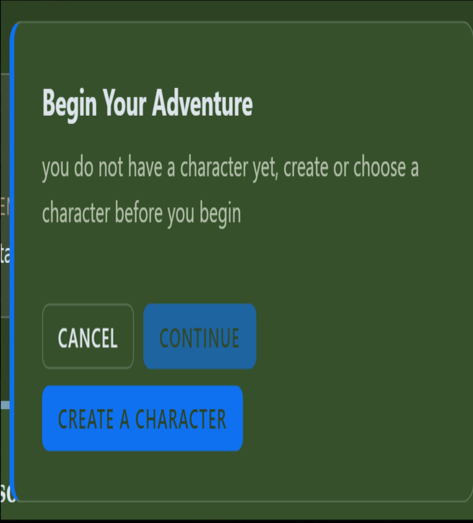
Character Checkpoint: provided some issues at first when retrieving character data from the saved database, but after figuring out what those bugs led to, it was more efficient to work with. The Idea is when you start a campaign a popup provided you with checking if you have character if you do it provides you with the same properties of when you created your character and saved to your profile. If you do not have a character, this feature checks your saved characters. If you do not have one, it provides a direct link to the character page, where you can create your character; then you can go back and start the campaign.
September 14th – September 20th
AI Storytelling: The AI is prompted to create a story based on the SRD 5.1 Ruleset that we utilized to train our model to follow, lead, and exchange interaction with the Player. Initial trial of the setup looks like Hook; Tone; Stakes; and setting, along with a title. Then, coming together with my partner, we concluded that we needed the story to become more dynamic without overloading the generation feature. New additions to the dynamic storytelling were added where the AI is prompted to take the Ruleset and Character that was chosen for the storyline and their states through the backend; then the AI creates a dynamic story. Whereas a static story is a self-learning dynamic story that has no set setting and changes at will be based on player interaction.
Their were some difficulties with first generating the data but after doing some research, I found that connecting the generating to the start button allowed to call the AI to generate based on the prompt and ruling that we passed through, but at a small cost, the AI takes some time to generate, just along the Ai system takes 30+ seconds to generate a full story while passing in that amount of information, but not issues came about generating the story.
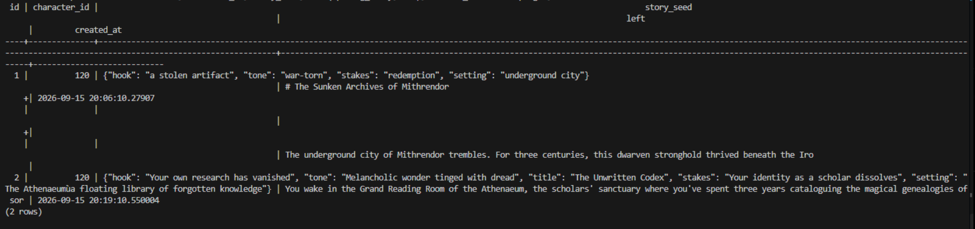
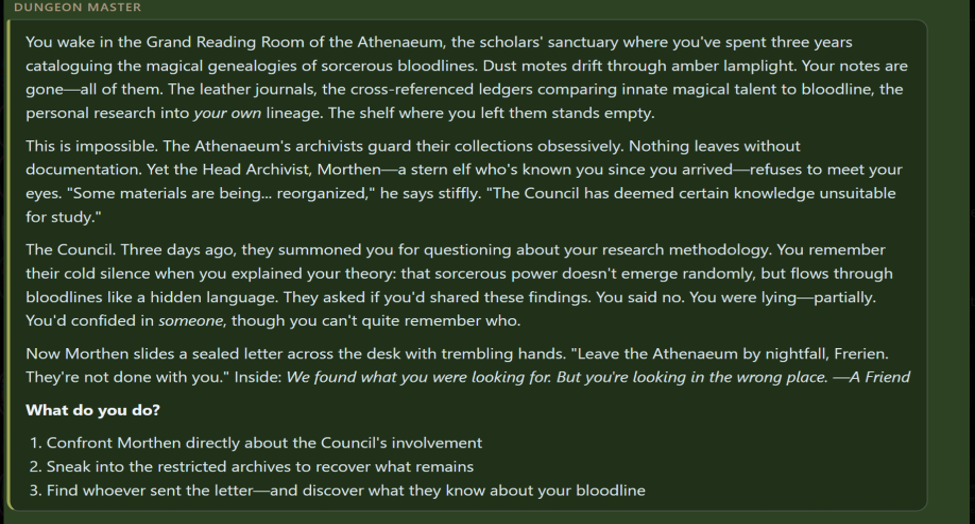
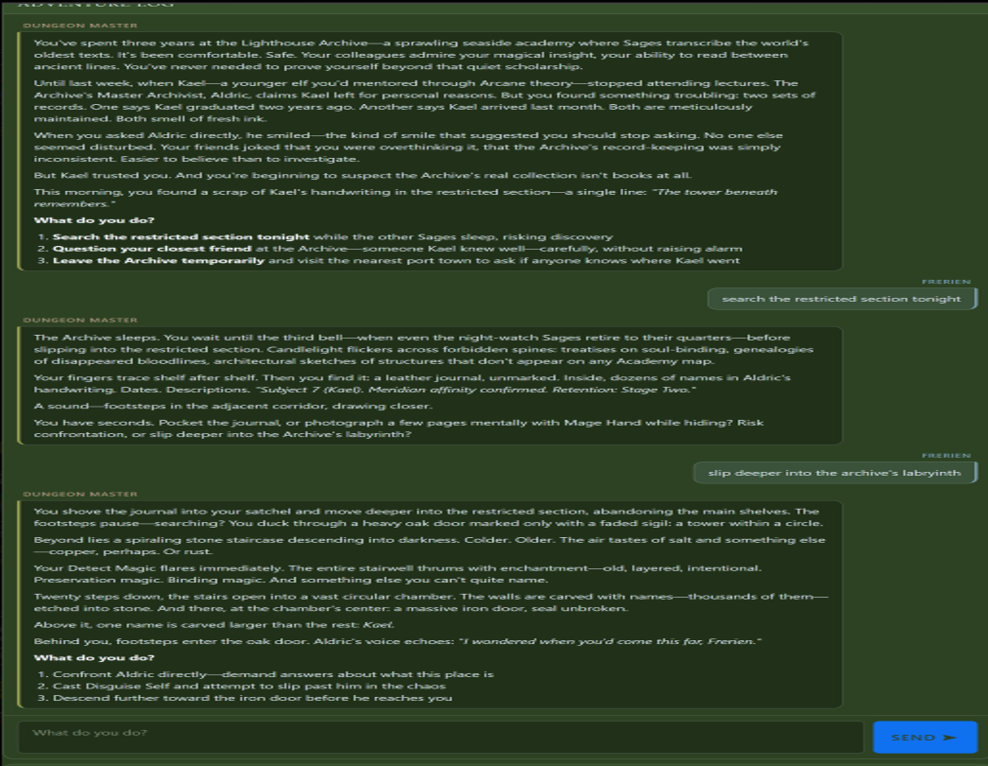
After generating the story, the new additional Text feature allows you to communicate with the Dungeon Master. No issues or errors came along but I did notice that with a limited detailed response from the player, came about with re-interesting curtain details, along with trying to assist the player with making decisions and moving forwards, as if the Dungeon Master was holding the players hand. The one thing that stood out was how AI was able to include your character of choice in the storyline; with how it was implemented as first person, it took the details of the player and made changes according to not just the response but to the character itself, even to the point of calling the character by name.
September 21st – September 27th
Time stamps: Created a time stamp that was added to the backend database to track the training of the newly added ML model for the story, while also showcasing each players game’s, which provided the number of plays, total time of play, when they last played, along with the ID of the story and when they started. New additions are being added to shorten the storyline a bit while keeping everything else the same to speed up the process of finishing a storyline; instead of taking over an hour+ to finish just one story, we need each player to play more than one time to have enough data to train our MML model on.

Dynamic mapping: Originally, we had a static image for our dynamic mapping. Changes were made so that the mapping changes direction using Leaflet to add new locations based on the story and setup, so that it changes if you are moving in a straight direction, but if you take a side entrance or a staircase, it will take you left or right while also at a Diagonal on the staircase.
Limitations: Since we are using the Haiku 4.5 model Through anthropic, our other sonnet 5 model that was in use before, cost way too much and over the course of our testing, we realized that we did not need a top tier model Haiku 4.5 did more than enough. We are not able to generate images per location at will, we would need to add an additional AI model that can generate, this is something we do not have the time for.
Solutions: 2 solutions. First, research has been done to have static images and utilize them as tile, downloadable images, so that you have a method inside the dynamic mapping and prompt to where you call the images and it utilizes the same images for each room. EX. In a room with a chest, torch, and desk, images of those three items will be placed in each of the boxes shown instead of having AI sketch from scratch. Second: provide an overall static image with the same thing, with an extended library of any environment; this will shorten the calling request and also cut down on the cost AI will need to work itself.
Additional Feature: adding in an Icon with progenerated imaged of each male and female character since we don’t have a model to generate a character from scratch, will hover and move to each new room you discover, you are not able to view new rooms only see the rooms you have been in, and the additional new room you have just moved into. Room difficulty will also be stated via Shape and color, along with icons/ static images of that room; weather is easy. Medium or difficult rooms or areas. Ex red being boss, black being boss extreme, blue being merchant, green being easy, white being safe zone, etc. Mew Ui rework has been done, along with an active stat chart and dice rolling with health stats that you can view and keep track of, and a setting with help; save and exit to home feature. Active dice rolling in the storyline does pop up when needed(just the start of the dice rolling). This lets you know if you have succeeded or failed; the AI learns based on the interaction. Multiple changes are ongoing. These have been the MAJOR features that have been done thus far, with others not in much detail.